


Best Slack Standup Bot for Engineering Teams
This article explores various Slack standup bots tailored for engineering teams, highlighting their features, pricing, and suitability to enhance daily standup meetings....

CTO @ Axolo
Get your GitLab pipeline results in Slack, right where the merge request is discussed. Axolo opens a Slack channel for each merge request and posts the result of every finished merge request pipeline in it, job by job and stage by stage. It also helps your team with code review in GitLab.
GitLab sends a pipeline webhook to Axolo. When the pipeline belongs to a merge request and has finished, Axolo turns it into one short Slack message in that merge request's channel.
Pipeline results in the merge request channel
Every job, grouped by stage
One message, always up to date
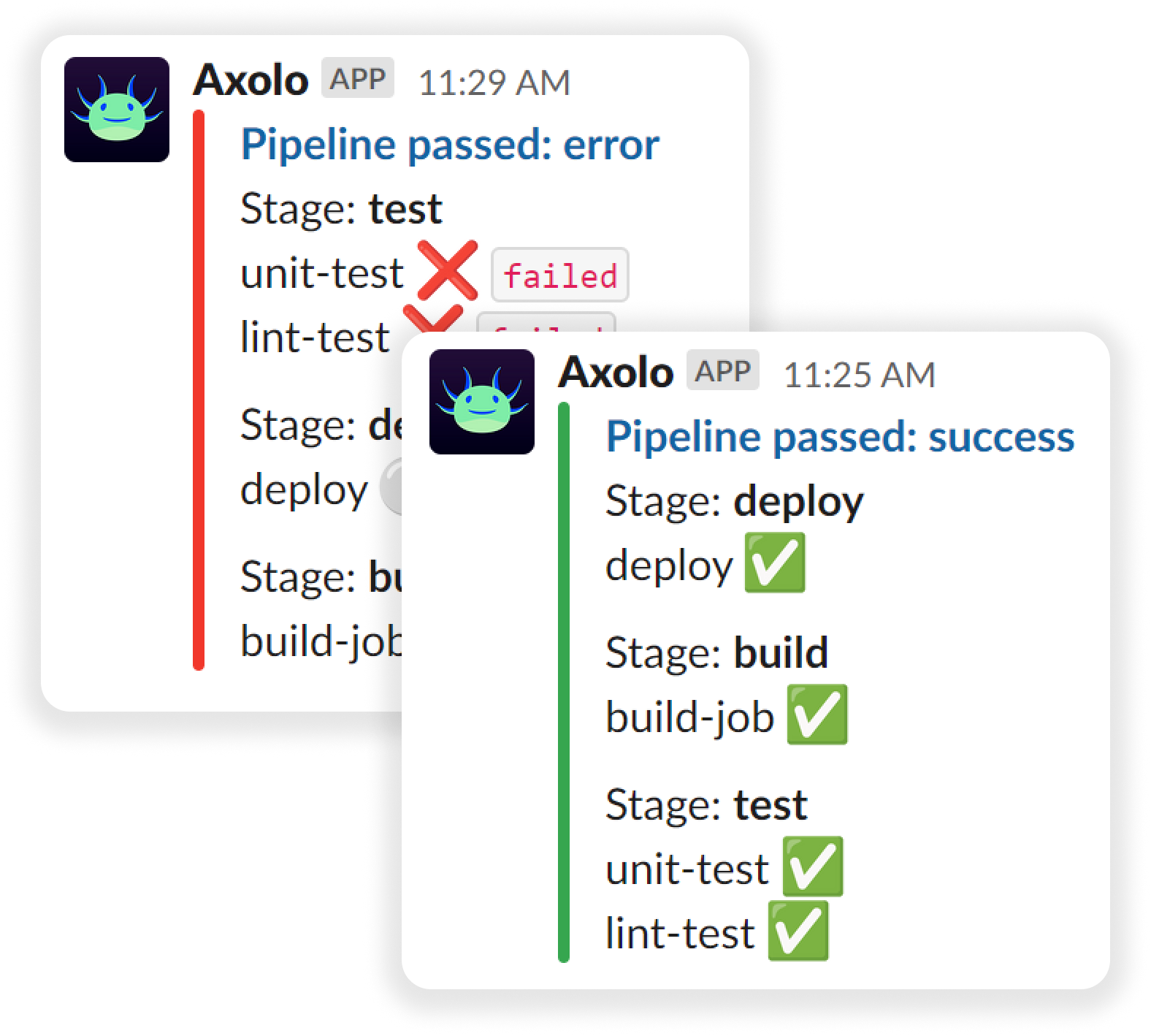
Each merge request gets its own Slack channel, and its pipeline results land there. Notifications reach the people working on that merge request, not a busy team channel.
Failed jobs are marked in red with their status, and the message turns red when the pipeline breaks. Jobs allowed to fail are shown as warnings so they do not block anyone.
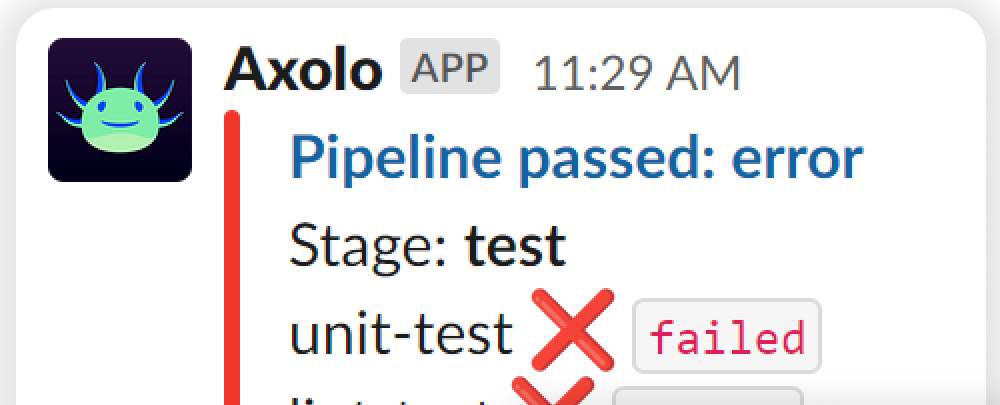
Pipeline notifications work the same way on GitLab.com and on self-managed GitLab instances, and you can turn them off in your Axolo settings at any time.







backed by

When a pipeline linked to a merge request finishes, Axolo sends a recap of its jobs to that merge request channel, with a link to the pipelines tab and whether the merge request has conflicts with its target branch. Running and pending pipelines are ignored, so you only get final results.
“Code quality has improved, engineers have a better understanding of what their colleagues are working on, and code is getting shipped much faster. Time from merge request open to review to merge is WAY faster, and engagement with reviews is much higher for our team. Axolo's team is also unbelievably fast in resolving issues when we run into them. Pleasure to work with them.”

Axolo also keeps a checks bookmark at the top of each merge request channel, showing how many jobs of the latest pipeline passed. One glance tells you if the merge request is ready for review.

GitLab's own GitLab for Slack app can post a message when a pipeline status changes, in up to 10 Slack channels per event, and can be limited to broken pipelines. It replaces the older Slack notifications integration, deprecated in GitLab 15.9. It suits a team channel that follows a whole project.
Axolo works per merge request: each one gets its own Slack channel with the author and reviewers, and the pipeline result is posted there with every job grouped by stage. It suits teams that want CI/CD results next to the code review. Both can run side by side.
They are merging merge requests with us every day

Code quality has improved, engineers have a better understanding of what their colleagues are working on, and code is getting shipped much faster. Time from pull request open to review to merge is WAY faster, and engagement with reviews is much higher for our team. Axolo's team is also unbelievably fast in resolving issues when we run into them. Pleasure to work with them.
TylerCTO, Sproutfi

Been an early user & have not found anything else which comes close to improving our PR workflow. Love the way Axolo helps us maintain sanity across our pull request reviews & keeping the entire team on top of what needs their attention. In addition, I love the way the product has evolved over the past few months. The team listens to the customers & delivers above & beyond!
Akshay KatyalHead of Engineering, Backstage

Our developers have really enjoyed the increased focus it brings, which is especially important as our team grows. As a fully remote organization using the correct communication tools is vital, and Axolo balances things nicely.
Joe RowleyVP of Engineering, Curebase

Axolo is an incredible tool for connecting PRs with our everyday engineering discussion on Slack. It integrates seamlessly and makes it so as a manager, I never lose track of my engineers' work. For my engineers, it allows them to discuss and collaborate without losing a thread in different contexts. Overall it keeps us moving swiftly throughout the sprint and continuously reviewing and merging code!
JacobCTO, HeraldAPI

Axolo has made it easier to hold developers and QA engineers accountable for reviewing and merging pull requests on a timely basis. Our average PR time-to-merge was 2.40 days before Axolo, this has been reduced to 1.51 days after only using it for 2 weeks.
DanDirector of Infrastructure, House Rx

GitHub and Slack used to be communication silos for us - discussion about work would exist in one or the other and we'd lose shared context of the work being done. Not anymore!
Mark GoodheadCEO, Longshot Systems

Axolo is an amazing tool that helps to reduce context-switching. Before we installed it, we had to constantly switch between Slack and GitHub to interact with pull requests and provide/receive feedback on them.
DanCTO, Lambda Direct

We used to send each other our GitHub PR links on Slack to ask for a review. Having Axolo made it a zero-effort thing. Having discussions on Slack is much more natural and Axolo does a great job doing it. The support is amazing as well! Arthur and Sydney proactively reach out to ask if we're facing any issues and even released one feature request within hours!
Anubhav MalikCTO, Weekday

Axolo is a must-have for teams using GitHub. My team can discuss pull requests without leaving Slack now. Axolo helped us merge pull requests faster in a more seamless way. I have been waiting for this product for so long!
PawelCTO, Juo.io

I've been a CTO at various companies for a decade now. One of my biggest pain points has always been pull request review responsiveness. I've tried so many home baked solutions. Axolo is the app that solves the problem perfectly.
Dee EvansCTO, Staqfi
Axolo provides a scalable, enterprise-grade solution for large teams, ensuring pull requests move swiftly through the development pipeline with its standup bot Slack. Request a free demo to explore how Axolo's customizable GitHub stand up bot or our GitLab Slack integration can be tailored to fit your team's workflow.
Here's what you can expect from the demo:
For engineering managers and developers, Axolo is a lightweight yet robust addition to your project management toolkit, designed to streamline review times and reduce friction in pull request management.
Learn how to grow your engineering teams with our GitHub Slack Integration
This article explores various Slack standup bots tailored for engineering teams, highlighting their features, pricing, and suitability to enhance daily standup meetings....
CTO @ Axolo
This guide provides a comprehensive walkthrough on integrating GitLab CI/CD with Slack, offering engineers step-by-step instructions to receive real-time notifications and streamline their workflows....

Co-founder @ Axolo
Discover how Axolo enhances collaboration by delivering GitLab CI/CD notifications directly to Slack channels, ensuring teams stay informed about CI/CD processes and deployment statuses....
Co-founder @ Axolo